
I Tried Turning One Song and One Image into a Full Music Video with 1MV.ai
**Summary:** An independent musician tests 1MV.ai, turning a portrait and a Suno song into an AI music video with lip-sync, camera movement, and beat-synced cuts.

大包子
Author & Contributor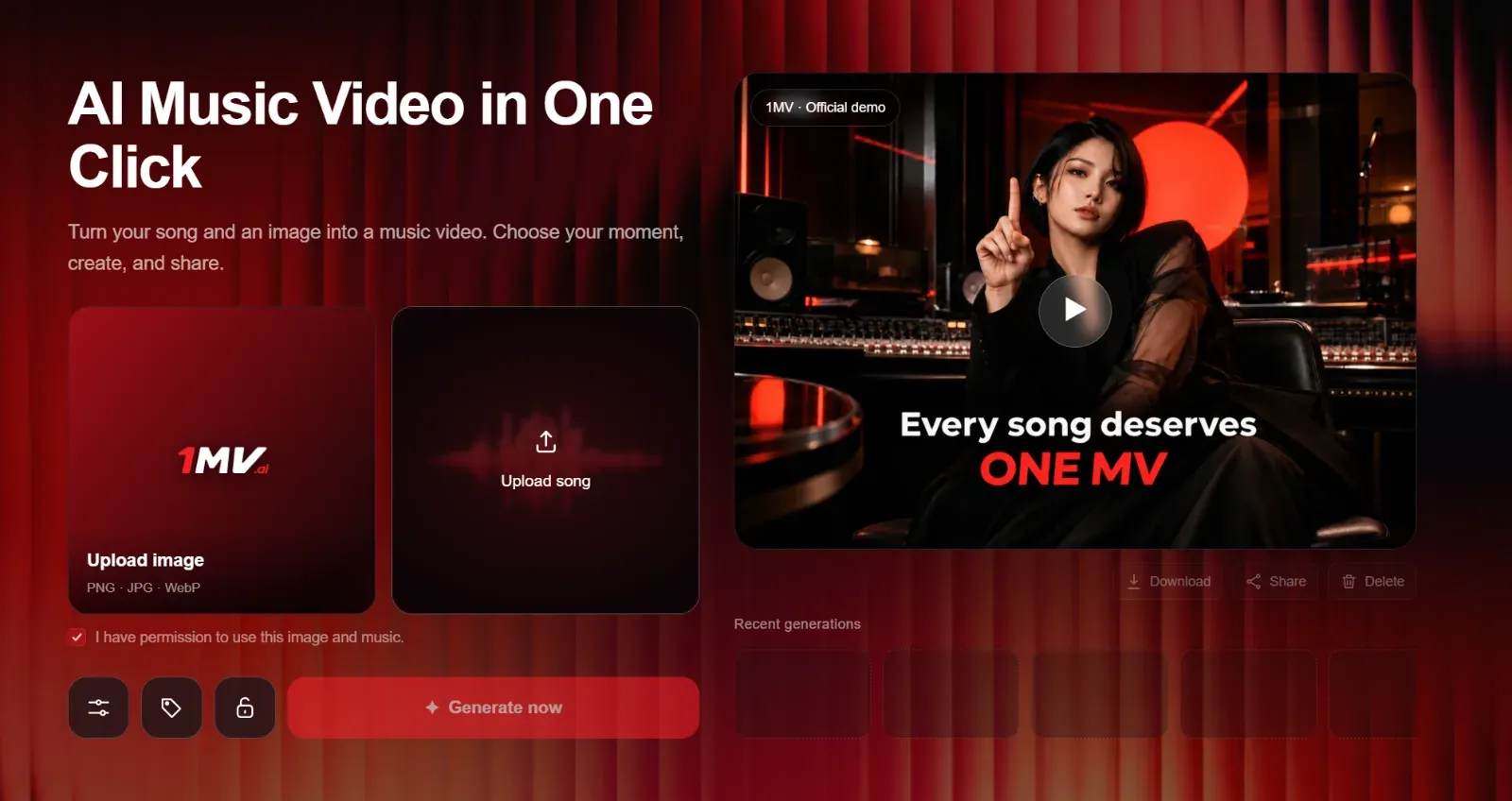
I Tried Turning One Song and One Image into a Full Music Video with 1MV.ai
I make music independently, mostly with Suno and Udio. Writing a song is already a surprisingly personal process, but releasing it without any visual identity can make it difficult for people to remember. That was the situation with one of my recent tracks: I liked the song, the vocal performance felt convincing, and the production had a clear mood, but I had nothing to accompany it besides the cover image.
A traditional music video was out of reach. I would have needed a camera operator, a location, performers, lighting, editing software, and several days of work. Even a simple performance video quickly becomes expensive and complicated. I also did not want to spend weeks learning professional video-editing software just to make one visual for a single track.
That was why I decided to try an ai music video workflow with 1MV.ai.
Why I Started Looking for an AI Tool
I had already tried a few ordinary photo-to-video tools. They were useful for creating short animated clips, but they did not really understand the structure of a song. Most of them could add a slow zoom, move the background, or create a few seconds of atmospheric motion. That is fine for social media content, but it is not the same as a music video.
For my song, I wanted the image to feel like a singer performing. I wanted the mouth movement to follow the vocal, the camera to change when the music changed, and the cuts to feel connected to the rhythm. With a normal AI video generator, I would probably have had to create multiple clips, write prompts for every shot, edit them together, and sync everything manually.
That process defeated the original purpose. I was looking for something that could turn an existing song into a complete video, rather than another tool that would give me more editing work.
Why I Chose 1MV.ai
The basic idea is simple: provide one image and one song, then let the system plan the video. It supports the kind of workflow I needed for a Suno AI music video or an Udio track, without requiring a storyboard or a separate prompt for every scene.
The main reasons I chose it were the combination of AI lip-sync, automatic camera movement, beat-based cuts, and director styles. The lip-sync was especially important. I did not want a still portrait with random movement; I wanted an AI singing video where the character appeared to perform the song.
I also liked the fact that the system was designed for a full song rather than only a few-second clip. That made it feel closer to a real music-video maker and less like a general image-animation tool. The available plans and credit requirements depend on video length and resolution, so I checked the estimated cost before generating. For a serious release, I would also pay attention to the plan’s watermark and commercial-use conditions.
Preparing the Materials
The preparation was straightforward. I chose a clear portrait with one visible face, good lighting, and enough space around the head and shoulders. The image was not overly stylized, because I assumed the system would have an easier time reading a natural face than a heavily distorted illustration.
The most important lesson was that the source image matters. A blurry face, extreme side profile, dark sunglasses, or hair covering the mouth could make lip-sync less convincing. I also avoided an image with several people, because I wanted the result to have one obvious singer.
For the audio, I exported the finished track as an MP3. A WAV file would also work, and the platform supports several common audio formats. Before uploading, I made sure the song had the final vocal arrangement, because changing the audio after generation would mean creating the video again.
The Actual Process
The workflow followed a clear sequence.
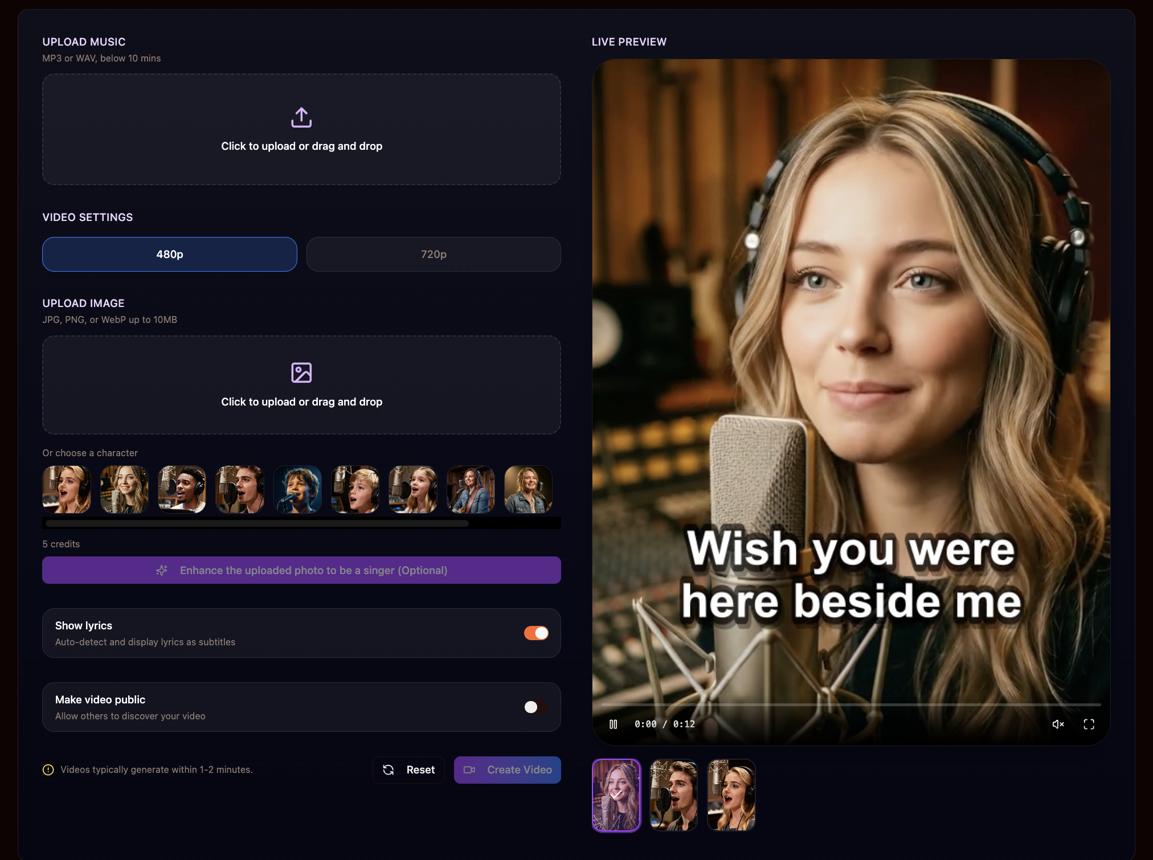
First, I uploaded the portrait. The image became the visual foundation for the video, so I spent more time choosing the right picture than I expected.
Second, I uploaded the song. This was the part that made the process feel different from a normal photo-to-video tool: the audio was not just background music. It was the material the system used to shape the performance and timing.
Third, I selected the aspect ratio. I chose a widescreen format because I wanted the main version to work on YouTube. For a future release, I would probably create a vertical version for TikTok, Instagram Reels, and YouTube Shorts as well.
Fourth, I selected a director style. I chose one that matched the darker, performance-focused mood of the song instead of something overly bright or cinematic. The director style helped define the general visual language, while the music determined when the camera moved and when the cuts happened.
Finally, I generated the video and waited for the result to appear in my project area. Once it was ready, I watched it through before downloading it. That last step was important because the first viewing showed me both what worked and what I would want to improve in another version.
What the Result Was Like
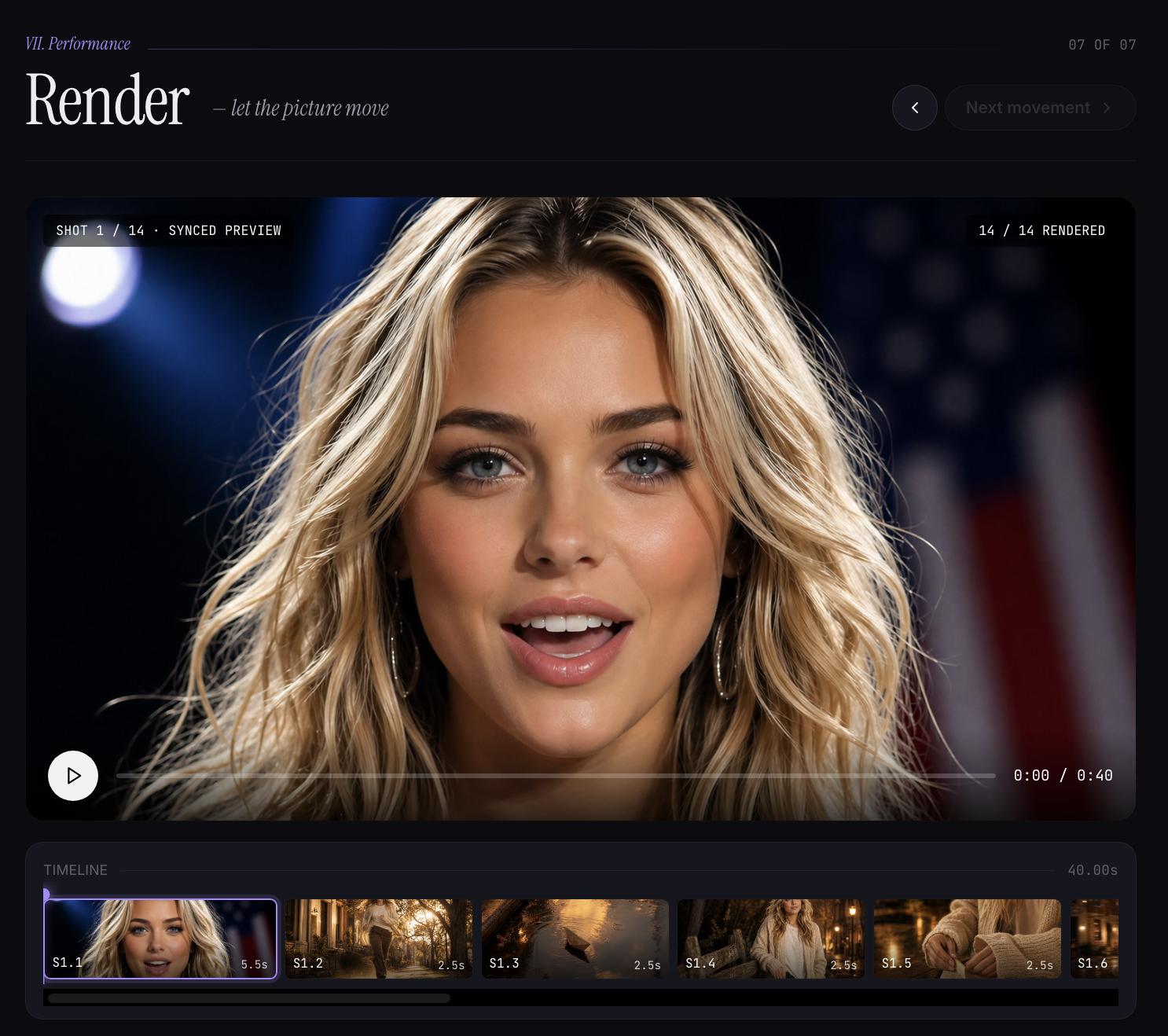
The strongest part was the overall sense of performance. The character did not remain completely static. The camera moved between closer and wider views, and the changes generally followed the energy of the track. When the song became more intense, the video felt more active. During quieter sections, the movement became less aggressive.
The lip-sync was convincing in many of the main vocal passages. The mouth generally opened and closed in time with the singing, which immediately made the image feel more alive. It was not perfect in every moment, especially when the vocals became dense or included several overlapping harmonies, but it was much closer to a music-video performance than the basic mouth animation I had seen in other tools.
The camera movement was another pleasant surprise. I did not have to keyframe zooms, plan cuts, or manually match shots to the beat. The result was not completely predictable, but it had enough variation to avoid feeling like one long animated photograph.
Visually, the video still carried the limitations of being generated from one image. I did not suddenly get multiple locations, costumes, or supporting actors. Instead, I got a stylized performance video built around the original portrait. For my song, that was acceptable because the track was more mood-driven than narrative-driven.
Problems and Limitations
The first limitation was image quality. The system can only work with the face and composition it receives. If the source portrait is weak, the final video will probably feel weak too. I would recommend preparing several candidate images rather than uploading the first one available.
The second issue was complex vocal material. Clear lead vocals produced the best mouth movement. Layered harmonies, whispered parts, ad-libs, and heavily processed vocals were more difficult to interpret. The result still worked, but I would not expect perfect lip-sync on every syllable.
Cost is another consideration. A full-length video consumes credits based on duration and resolution, so generating multiple versions can become expensive for an independent musician. I would test the concept carefully with a shorter or lower-resolution version before committing to a final export.
Finally, I had limited shot-by-shot control. I could choose the general style and format, but I could not specify exactly when the camera should cut to a close-up or which lyric should receive a particular visual effect. That is the trade-off for speed: I gave up detailed directing in exchange for not having to edit the entire video myself.
My Final Impression
For an independent musician, 1MV.ai is most useful when the goal is to create a compelling visual companion for an existing song without hiring a crew. It is especially suitable for electronic music, pop, ambient tracks, demos, and songs where atmosphere matters more than a complicated storyline.
I would not describe it as a replacement for a professionally directed music video. It does not give me the same level of control as a real shoot or a full editing workflow. However, it solves the practical problem I actually had: turning one finished song and one image into something I could share.
I would use it again, particularly for Suno or Udio releases that need a visual identity quickly. My main advice would be to prepare a strong portrait, use a clean vocal mix, choose the aspect ratio before generating, and treat the first result as a creative interpretation rather than a perfectly controlled final cut.