
Guest Posting Sites Free: How to Find Genuine Opportunities for Your Content
Looking for free guest posting sites? Learn how to find genuine guest post opportunities, evaluate websites, avoid spam, and build quality backlinks naturally.

Postnest
Author & Contributor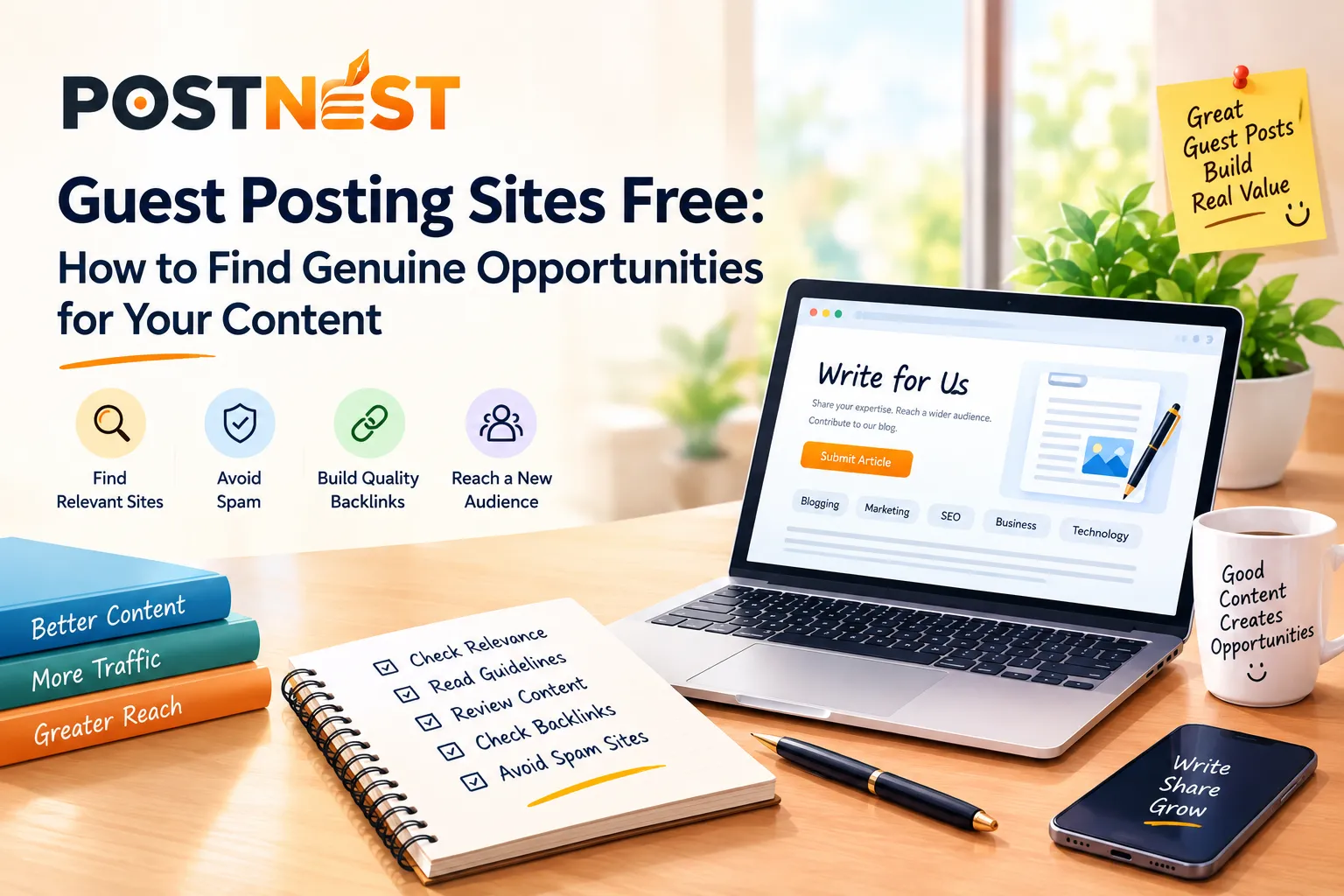
Guest posting is still a useful way to get your content in front of a new audience. It can also help you build relationships with other website owners, demonstrate your expertise, and earn relevant backlinks.
The difficult part is finding genuine free guest posting sites.
A quick search will show hundreds of websites claiming to accept free guest posts. But not all of them are worth your time. Some have poor-quality content, irrelevant topics, or exist mainly for publishing links.
So how do you find guest posting opportunities that are actually worth pursuing?
Let's look at a simple approach.
What Is Guest Posting?
Guest posting means writing an article for another website instead of publishing it only on your own site.
For example, if you run a website about blogging, you might write an article about content marketing for another marketing or blogging website. Depending on the website's guidelines, you may be allowed to include a relevant link to your own website.
The main goal shouldn't be getting as many backlinks as possible.
A useful guest post should help you:
Reach a relevant audience
Share your knowledge
Build your online presence
Develop relationships with publishers
Generate relevant referral traffic
Earn natural backlinks where permitted
Where Can You Find Free Guest Posting Sites?
There isn't one perfect list of guest posting websites. Instead, you can find opportunities by searching for websites in your specific niche.
Try searches such as:
"write for us" + blogging
"guest post" + digital marketing
"submit an article" + SEO
"contribute" + technology
"guest article guidelines" + business
"become a contributor" + marketing
You can also look at websites that already publish articles from multiple contributors. If they regularly feature outside writers, they may have a submission process.
The key is to focus on relevant websites rather than simply collecting a huge list.
Check the Website Before Submitting
Finding a site that accepts guest posts doesn't automatically mean you should submit an article.
Take a few minutes to examine the website.
1. Check the Topic
Start with relevance.
If your article is about blogging, look for websites covering blogging, content creation, SEO, digital marketing, entrepreneurship, or related subjects.
A relevant website gives your article a better chance of reaching people who actually care about the topic.
2. Read Recent Articles
Don't judge a website based only on its homepage.
Open several recent articles and look at their quality.
Are the articles well written? Are the topics connected? Does the site appear to have real editorial standards?
If you see dozens of poorly written articles covering completely unrelated subjects, that's a warning sign.
3. Read the Submission Guidelines
Good publishers often explain exactly what they expect from contributors.
Look for information about:
Word count
Accepted topics
Formatting
Images
Author bios
External links
Editing
Submission method
Following these instructions shows that you've actually researched the publication instead of sending the same email to hundreds of websites.
Don't Choose a Website Just Because It Is Free
The word "free" can be attractive, especially when you're trying to build backlinks on a limited budget.
But free doesn't automatically mean valuable.
A website can accept guest posts for free and still provide very little value if it has no relevant audience or publishes low-quality content.
Instead of asking:
"Is this guest post free?"
ask:
"Is this website relevant, useful, and trusted by its readers?"
That change in mindset can make your guest posting strategy much more effective.
Watch Out for Spammy Guest Post Sites
Some websites are created primarily to publish articles and outbound links.
Be cautious if a website:
Publishes hundreds of unrelated topics
Has excessive promotional articles
Contains many unnatural links
Has very low-quality content
Accepts almost every submission without review
Repeatedly uses keyword-stuffed articles
Looks abandoned or poorly maintained
You don't need to chase every website that promises a backlink.
A smaller number of relevant opportunities can be more useful than a large collection of questionable sites.
Create Content People Actually Want to Read
Once you find a genuine opportunity, your next job is creating a useful article.
Don't write a 700-word article filled with generic information just because the website requires a guest post.
Instead, think about the reader.
What problem are you solving?
What can they learn from your article?
Can you provide examples, practical steps, mistakes to avoid, or useful resources?
For example, instead of writing "Why Blogging Is Good for Your Business," you could write:
"7 Content Planning Mistakes New Bloggers Should Avoid."
The second topic gives you a much clearer opportunity to provide practical information.
Add Your Link Naturally
If the publication allows links, don't force your website into every paragraph.
A relevant contextual link is usually more natural.
For example, if you're discussing platforms where creators can publish their work, you could naturally mention PostNest as an option for bloggers and content creators.
The link should make sense in the context of the article and provide something useful to the reader.
Avoid using the exact same anchor text for every guest post. Natural language is generally better than repeatedly forcing a specific keyword.
Build Relationships With Website Owners
Guest posting doesn't have to be a one-time transaction.
If an editor publishes your article and the experience is good, maintain the relationship.
You could later contribute another useful article, share their published content, or collaborate on another project.
Over time, these relationships can become more valuable than simply collecting backlinks.
Keep Track of Your Opportunities
If you're actively building guest posts, create a simple spreadsheet.
You can track:
WebsiteNicheGuidelinesContactStatusWebsite AMarketingYesEmailSubmittedWebsite BBloggingYesFormPublishedWebsite CSEOYesEmailWaiting
This prevents you from contacting the same website repeatedly and helps you understand which opportunities are actually producing results.
Final Thoughts
Finding free guest posting sites isn't really about finding the biggest possible list.
It's about finding websites that are relevant to your topic, publish useful content, have genuine editorial standards, and reach an audience that could benefit from your work.
Take time to research each website before submitting. Read its articles, check its guidelines, look at its link policy, and make sure your content genuinely fits.
Most importantly, don't create guest posts only for backlinks.
Create something worth reading first. The backlink should come naturally as part of that value.