

AI Coding Agents vs AI Coding Assistants: What's the Difference in 2026?
Learn the difference between AI coding agents and AI coding assistants in 2026. Explore features, benefits, examples, risks and the best tools for developers.
Priyanshi
Author & Contributor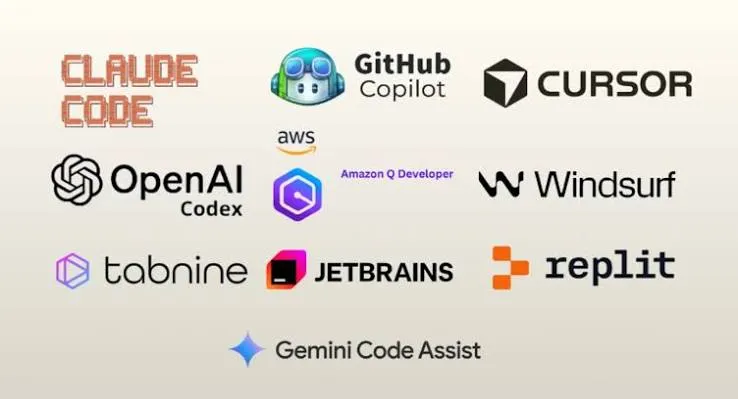
Artificial intelligence is changing the way people build software. Developers no longer have to write every line of code themselves or spend hours searching for solutions to common programming problems. AI tools can now suggest code, explain errors, create functions and even help manage larger development tasks.
Two terms that developers are hearing more often are AI coding agents vs AI coding assistants. Although they sound similar, they do not always work in the same way.
An AI coding assistant generally helps developers while they write code. An AI coding agent can go further by understanding a task, planning the steps, editing multiple files, running commands and checking whether the changes work.
Both technologies can make software development easier, but choosing the right one depends on what you are building and how much control you want to maintain.
In this guide, we will explain their differences, benefits, limitations and practical uses so you can decide which approach works best for your programming needs in 2026.
What Is an AI Coding Assistant?
An AI coding assistant is a tool that helps developers write, understand and improve code. It works alongside a programmer and provides suggestions based on the code, instructions or questions it receives.
Think of it as a programming partner that is always available when you need help.
For example, imagine that you are developing a website using JavaScript. You need to create a function that validates an email address. Instead of writing everything manually, you can ask an AI coding assistant to generate the function.
It can provide the code, explain how it works and suggest improvements.
What Can an AI Coding Assistant Do?
Most AI programming assistants can help with tasks such as:
Code completion: Suggest the next line or block of code while you are programming.
Error explanations: Explain programming errors and suggest possible solutions.
Code generation: Create functions, components and small code examples from written instructions.
Documentation: Explain unfamiliar code and help write comments.
Code improvement: Suggest ways to make existing code easier to understand and maintain.
Learning support: Help beginners understand programming concepts with simple examples.
These tools are particularly useful when you want to stay focused on writing code while receiving suggestions whenever necessary.
Examples of AI Coding Assistants
Some popular tools and development environments offer AI-assisted coding features:
GitHub Copilot: Helps developers with code completion, explanations and coding assistance.
Cursor: Provides an AI-focused code editor with features for understanding and editing projects.
Visual Studio Code AI features: Offers different ways to receive coding suggestions and assistance.
The exact features depend on the product, subscription and working mode.
What Is an AI Coding Agent?
An AI coding agent is a more action-oriented AI system that can work towards a programming goal rather than simply responding with a code suggestion.
You give it a task, explain what you want to achieve and provide access to the necessary development environment. It can then plan the work, inspect relevant files, make changes and use available tools to check the results.
For example, imagine that you want to add a login system to your existing website.
Instead of asking for individual code snippets, you can give a coding agent a broader instruction:
"Create a login system with email validation, password authentication and proper error handling. Follow the existing project structure."
Depending on its permissions and available tools, the agent may:
Examine your existing project files.
Identify the files that need changes.
Plan the implementation.
Create or update the required components.
Connect the authentication logic.
Run available tests and checks.
Review errors and attempt corrections.
This makes AI coding agents useful for tasks that involve multiple steps or files.
What Can an AI Coding Agent Do?
Common capabilities include:
Task planning: Break a larger development request into smaller steps.
Multi-file editing: Make related changes across different project files.
Bug fixing: Investigate errors and attempt to correct their causes.
Testing: Run available tests and respond to failures.
Code refactoring: Improve existing code while considering the wider project.
Development automation: Perform repetitive tasks using permitted tools and commands.
However, an agent does not automatically understand every project perfectly. Its results depend on the quality of instructions, available context, permissions and the checks it can perform.
Examples of AI Coding Agents
Some examples of agent-oriented coding experiences include:
GitHub Copilot coding agent: Can work on assigned development tasks and prepare changes for review.
Claude Code: Can inspect and modify project files and work with development tools.
OpenAI Codex: Can work on coding tasks using an available development environment.
Cursor agent mode: Can coordinate changes across files and use supported development tools.
These products have different capabilities and levels of autonomy, so they should not be treated as identical.
Practical Example: How Both Tools Work on the Same Task
Let's understand the difference with a simple website development example.
Imagine you already have a website and want to add a contact form.
Using an AI Coding Assistant
You might ask:
"Write a React contact form with name, email and message fields."
The assistant can generate the component and explain how to use it.
You then decide where to place the component, connect the submission logic, add validation and test everything.
The assistant helps you with individual parts of the task.
Using an AI Coding Agent
You might give the agent a broader instruction:
"Add a contact form to my existing website. Include name, email and message fields, validate the inputs, connect it to the existing submission endpoint and add appropriate error messages."
Depending on the agent's access and project setup, it may inspect your existing components, identify the relevant files, implement the form, connect the endpoint and run available checks.
You still need to review the changes, confirm that the form works and check that user information is handled correctly.
The main difference: An assistant helps you write the solution, while an agent can help carry out a larger part of the implementation.
Benefits of AI Coding Assistants
AI coding assistants remain useful even as agent-based development becomes more common.
Here are some important benefits.
1. Helpful for Beginners
New programmers often struggle with syntax, errors and unfamiliar programming concepts.
An assistant can explain why a particular function works, provide examples and help learners understand how different parts of a program connect.
2. More Control Over Your Code
You can decide which suggestions to accept and which changes to ignore.
This is useful when you want to understand every part of your application rather than allowing a tool to make several changes automatically.
3. Useful for Everyday Programming
Small tasks such as writing functions, creating CSS styles, explaining errors and generating documentation are suitable for coding assistants.
4. Supports Learning
Instead of simply searching for an answer, developers can ask follow-up questions and request explanations based on their current code.
Benefits of AI Coding Agents
Coding agents offer additional advantages when a task requires several connected actions.
1. Better Support for Larger Tasks
A coding agent can work through a task that involves multiple files and development steps.
This can be useful when implementing a new feature or updating an existing application.
2. Less Repetitive Manual Work
Developers can delegate routine activities such as updating related files, creating tests or investigating common errors.
3. Can Work With Development Tools
Depending on the environment and permissions, agents can use terminals, inspect project files, run commands and check test results.
4. Useful for Existing Projects
An agent that has access to the project context can examine existing code before suggesting or making changes.
This can reduce the need to explain every file individually, although providing clear project instructions is still important.
Limitations and Risks You Should Know
Although AI coding tools are useful, neither assistants nor agents should be trusted without verification.
AI-generated code can contain errors, incorrect assumptions or security weaknesses.
Coding agents also introduce additional risks because they may have permission to edit files, run commands or access external services.
Here are some important precautions.
1. Always Review Generated Code
Read the changes before accepting them. Check whether the code follows your project structure and whether it introduces unnecessary complexity.
2. Protect Your API Keys and Credentials
Never give an AI tool unrestricted access to passwords, private keys, database credentials or other sensitive information.
Use appropriate environment variables and access controls.
3. Test Before Deploying
Run your test suite, check important features and review error messages before deploying changes to a live website.
4. Limit Agent Permissions
Give coding agents only the permissions they need. Be especially careful when allowing them to access production databases, modify infrastructure or run destructive commands.
5. Check Dependencies and Security
Review new packages, dependencies and code patterns introduced by AI tools. Generated code should follow the same security standards as code written manually.
Best AI Tools for Developers in 2026
If you are exploring AI coding tools, these are some options worth understanding.
1. GitHub Copilot
GitHub Copilot provides AI-powered coding assistance and agent experiences. It can help with code suggestions, explanations and delegated development tasks.
It is worth exploring if you already use GitHub and Visual Studio Code.
Website: https://github.com/features/copilot
2. Cursor
Cursor is an AI-focused code editor designed to help developers work with existing codebases, generate code and make project changes.
It can be useful for developers who want AI features closely integrated into their editing workflow.
Website: https://cursor.com/
3. Claude Code
Claude Code is an agentic coding tool that can work with project files and development tools. It is designed to help with tasks such as understanding codebases, implementing features and debugging.
Website: https://www.anthropic.com/claude-code
4. OpenAI Codex
OpenAI Codex provides coding agent capabilities for working on software development tasks. Depending on the available environment and permissions, it can inspect code, make changes and help verify results.
Website: https://developers.openai.com/codex/
Before choosing a tool, compare its current features, pricing, usage limits, supported environments and privacy policies. Some features may require a paid subscription.
The Future of AI Software Development
AI software development is moving towards workflows where developers can delegate more implementation work while remaining responsible for the final result.
Coding assistants will continue to be useful for everyday programming support. Coding agents are making it possible to work on larger tasks through instructions, planning and tool-based actions.
This does not mean developers are no longer needed.
Understanding requirements, choosing the right architecture, reviewing code, protecting user data and making important technical decisions still require human judgment.
Developers who learn how to work effectively with both assistants and agents will be better prepared to adapt as these tools evolve.
The goal should not be to let AI make every decision. It should be to use AI where it provides real value while keeping quality, security and maintainability under control.
Frequently Asked Questions
1. What is the main difference between AI coding agents and AI coding assistants?
An AI coding assistant mainly helps developers through code suggestions, explanations and smaller programming tasks. An AI coding agent can plan and perform multiple actions towards completing a larger development task.
2. Are AI coding agents better than AI coding assistants?
Not always. Agents are useful for multi-step tasks, while assistants are often more convenient for everyday coding help. The best option depends on the work you need to complete.
3. Can beginners use AI coding agents?
Yes. Beginners can use coding agents to explore projects, understand errors and learn how features are implemented. However, they should review the generated code and understand what it does before using it.
4. Are AI coding agents safe to use?
They can be used safely with appropriate precautions. Developers should limit permissions, protect credentials, review code changes and test everything before deployment.
5. Which AI coding tools are useful for developers in 2026?
GitHub Copilot, Cursor, Claude Code and OpenAI Codex are examples worth exploring. Their capabilities differ, so choose based on your programming environment and requirements.
6. Will AI coding agents replace software developers?
AI coding agents can automate parts of software development, but they do not remove the need for human judgment. Developers are still responsible for understanding requirements, designing systems, reviewing changes and ensuring that applications work correctly.
Conclusion
Understanding AI coding agents vs AI coding assistants can help you choose better tools for your development workflow.
AI coding assistants are useful for everyday programming, learning, code suggestions and understanding errors. AI coding agents are more suitable for larger tasks that involve planning, editing multiple files and running development tools.
You do not have to choose only one. Using both can help you work more efficiently while maintaining control over your projects.
As AI software development continues to evolve, the most valuable skill will not simply be knowing how to use AI tools. It will be knowing when to use them, how to guide them and how to verify their results.
Have an idea, tutorial or development experience to share? Publish your next article on PostNest and connect with readers around the world.
Visit https://www.postnest.in and start sharing your ideas today.
PostNest – A Simple Home for Your Ideas.